
Orders hardly ever come from one place. A restaurant emails on Monday, a regular rings on Tuesday, and on Wednesday a stockist texts "same as last week please". Then there's the market customer who'd like a delivery, and the website pinging away with its own notifications.
Each of those is easy on its own. All together, they're how orders go missing, get sent twice, or never get invoiced. Working longer hours won't solve it. One rule will: every order goes into the same list, wherever it came from.
1. Why orders get lost
Mainly because they're scattered: the inbox, your phone, a notebook in the van, the shop dashboard. They're also written differently. "The usual plus two" is perfectly clear on the phone, but three days later nobody can remember what the usual was. And nobody is quite sure where each order is up to. Packed? Delivered? Invoiced? Paid?
Stock tends to be a guess as well. When the website and the phone orders don't share the same stock figure, sooner or later the last jar gets sold twice.

2. Set up one list and make it quick to use
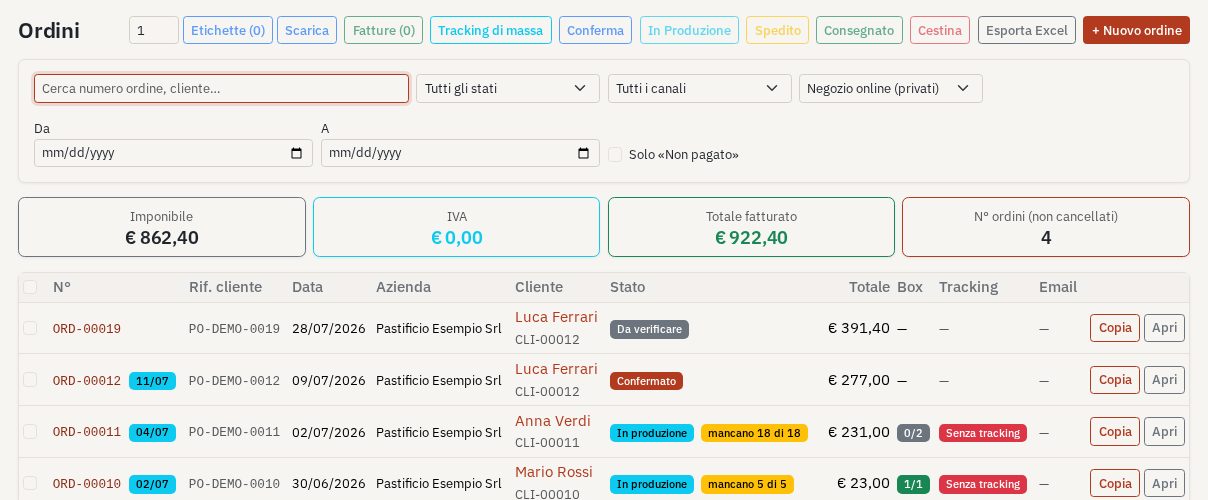
Pick one place where every order is written down, and record the same details each time: the customer and how they ordered, the products and quantities, the date it's due, and a status such as new, being prepared, sent, invoiced or paid. The rule is that an order doesn't exist until it's in the list. A phone call only turns into an order once someone has entered it, even if that's you in the yard with a pen.
Speed matters, because if adding an order takes five minutes nobody will bother on a busy day. Save your products and regular customers so you choose them rather than type them. Make it possible to repeat last week's order in a couple of clicks. Connect your website so its orders arrive in the list by themselves. For orders that come by email, paste the details in, or use a tool that reads the email and drafts the order for you to check.
3. Let stock and invoices follow the orders
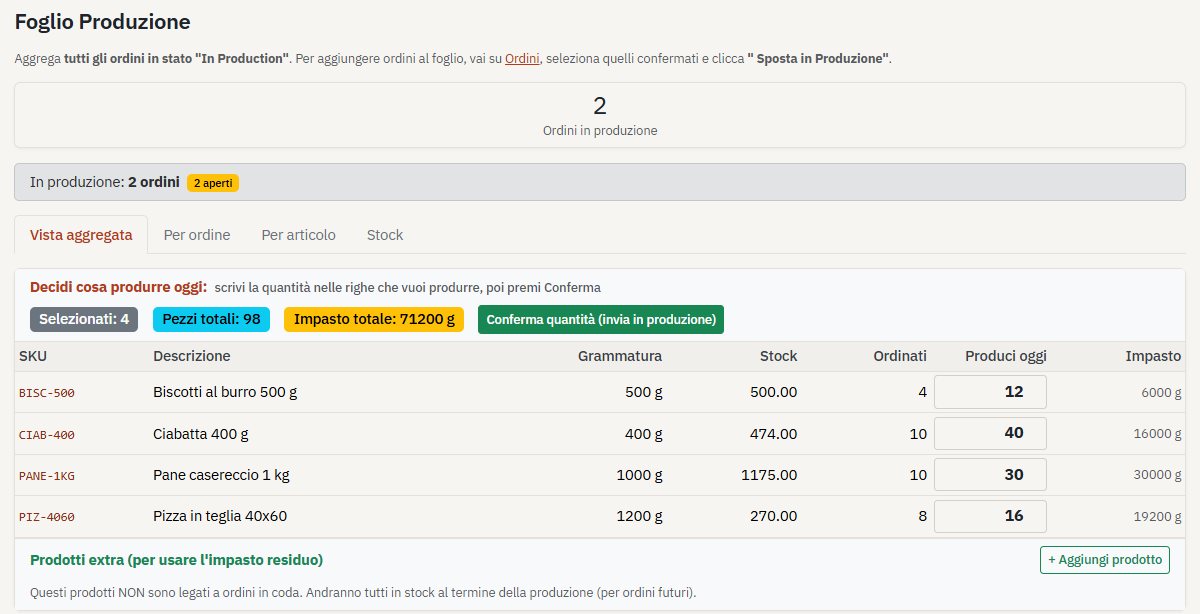
With every order in one place, stock can largely look after itself. Preparing an order takes the quantities down, and making a new batch puts them back up. Your online shop then shows only what you really have, and you see early when something is running low.
Invoices work the same way. They should come straight from the order, with the same products, quantities and prices, instead of being typed out again from memory at the end of the month. That gets rid of most invoicing mistakes and shows you at a glance who still owes you.
4. Ten minutes a day, and when to outgrow the spreadsheet
Once everything is in one list, a quick look each morning is enough. Go through the new orders for anything to confirm or ask about. Check what needs making, packing or delivering today and tomorrow, whether anything is getting low, and whether any invoices are overdue.
A shared spreadsheet is a perfectly good place to start when there are only a handful of orders a week. It starts to creak when you add a website, a few stockists and more than one person taking orders: stock doesn't update, invoices aren't linked, and every online order is copied over by hand. That's usually the time to move to something made for orders, stock and invoices together.
A quick test: how many places would you have to look to answer "what are we delivering on Thursday?" If it's more than one, your orders aren't in one list yet. Your customers can keep ordering however they like. Just make sure it all lands in the same place, and you'll spend less of the week chasing messages and more of it making what people want to buy.